
Control who can join your workspace.
Two simple controls, authorised domains and an email allowlist, decide who can register themselves.
The two controls #
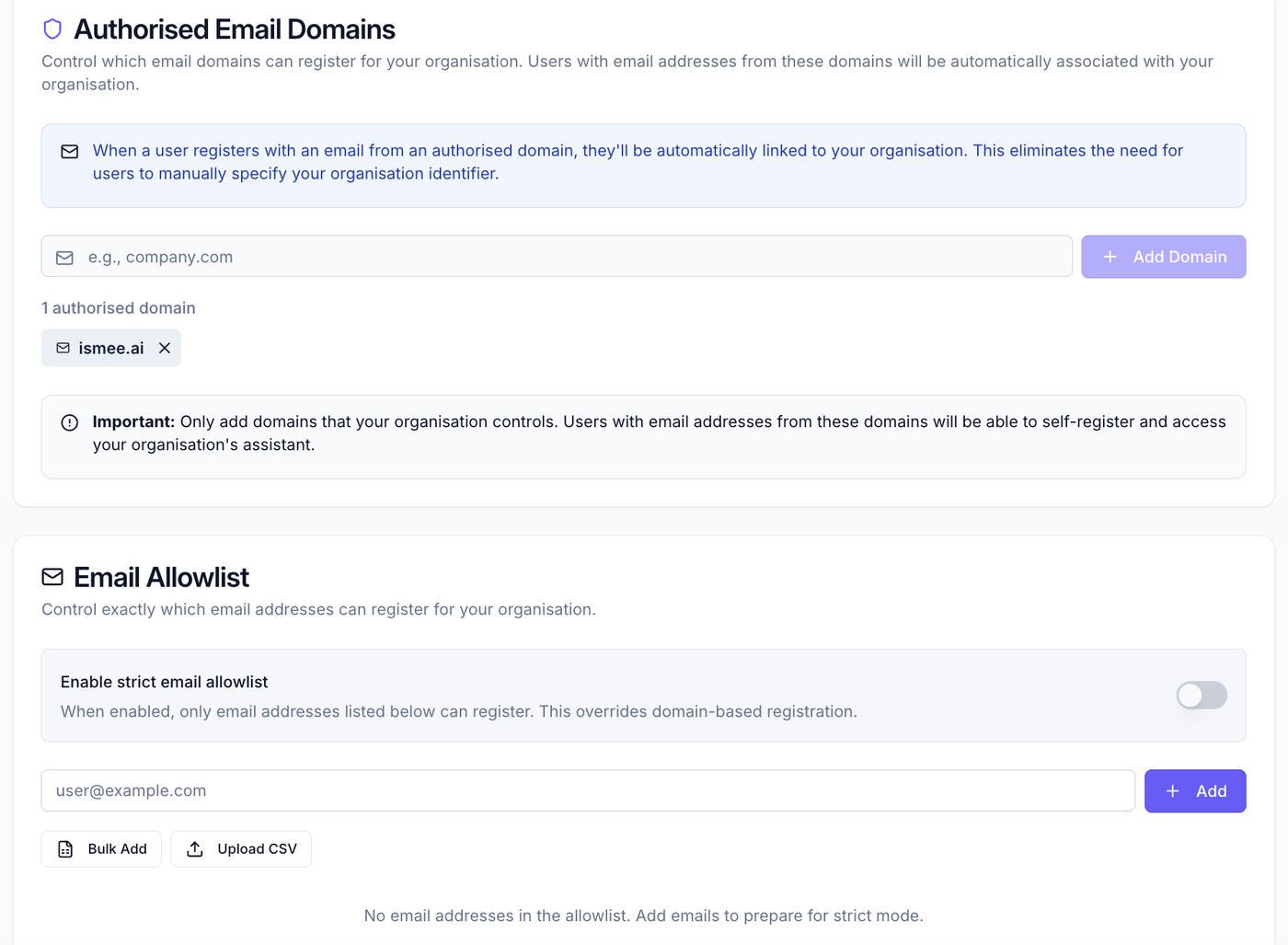
Go to Workspace → Registration rules. Here you manage two things together: which domains can self-register, and which specific email addresses are allowed.
Authorised domains #
Add a business domain your organisation explicitly trusts, your own, or a partner/guest domain you've chosen to admit, so anyone with an address there can register themselves. This must be a business (non-personal) domain: consumer domains such as gmail.com or outlook.com aren't accepted, since a shared consumer domain would let strangers join. A trusted domain that differs from the workspace owner's is admitted as a guest domain and shown with a Guest tag.
Email allowlist #
Allow specific, named email addresses to register, useful for a handful of external people (a contractor or partner) without opening up their whole domain. Individual addresses can be any address, including a personal one (for example a Gmail address), the business-domain rule above applies only to authorised domains, not to addresses you add here by name.
Rules vs invitations #
Registration rules govern self-service sign-up. If you'd rather add someone directly, on any email address, regardless of these rules, send them an invitation instead.
What to read next #
- Inviting users, add people directly and set roles.
- Getting started, the full setup path.